Introduction
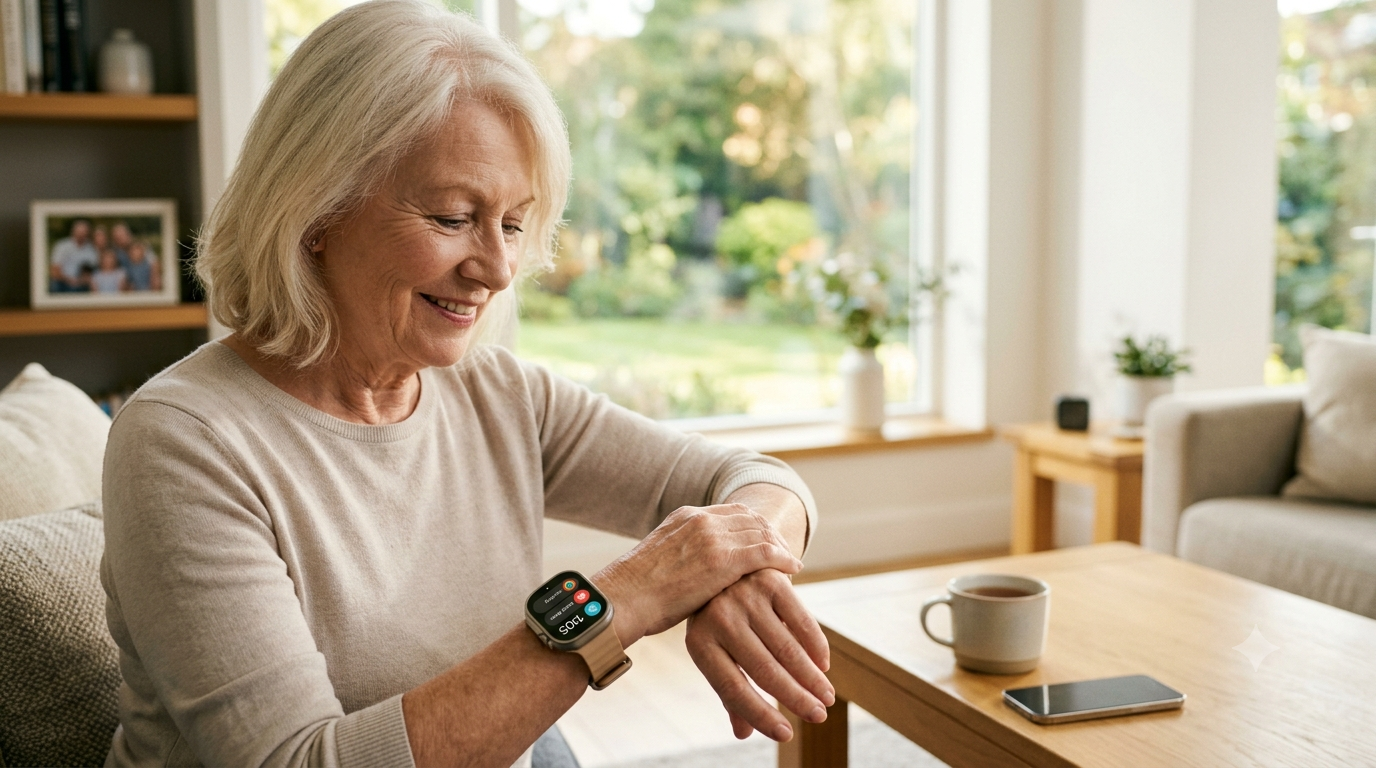
Falls are the leading cause of injury among older adults, and one of the biggest dangers isn’t the fall itself — it’s the time spent waiting for help afterward. A smartwatch that can detect a fall, call for help automatically, and keep family members in the loop can make that wait dramatically shorter.
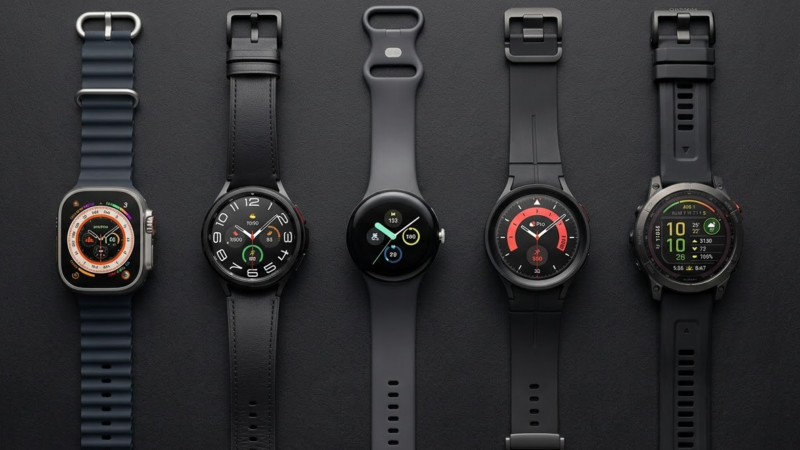
But “smartwatch for seniors” isn’t one product category. It spans everything from mainstream devices like the Apple Watch and Galaxy Watch, to fitness-forward options like the Garmin Venu, to dedicated medical alert watches built specifically around emergency response. Each approaches safety differently, and the right choice depends less on brand and more on how the wearer actually lives: Do they carry a smartphone everywhere? Do they want fitness tracking, or just peace of mind? Would they benefit from a live human on the other end of an SOS call?
This guide is part of our broader Best Smartwatches in 2026: Top Picks, Reviews & Complete Buying Guide pillar page. Here, we focus specifically on the models and features that matter most for older adults and the family members helping them choose.
Quick Summary
- Best overall for iPhone users: Apple Watch SE 3 — strong safety features at a lower price than the flagship Apple Watch
- Best for full health monitoring (iPhone): Apple Watch Series 11 — adds ECG and blood oxygen sensing
- Best for Android users: Samsung Galaxy Watch 8 — automatic SOS, ECG, and a bright, readable display
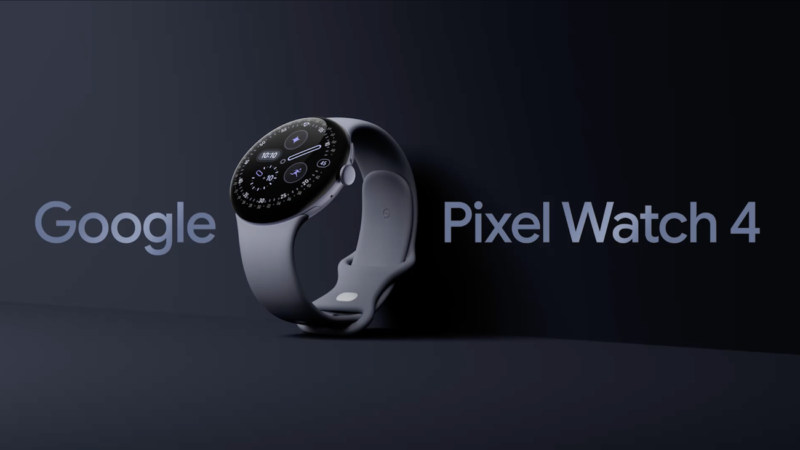
- Best battery life on a mainstream smartwatch: Google Pixel Watch 4 — up to 40 hours, plus Loss of Pulse Detection
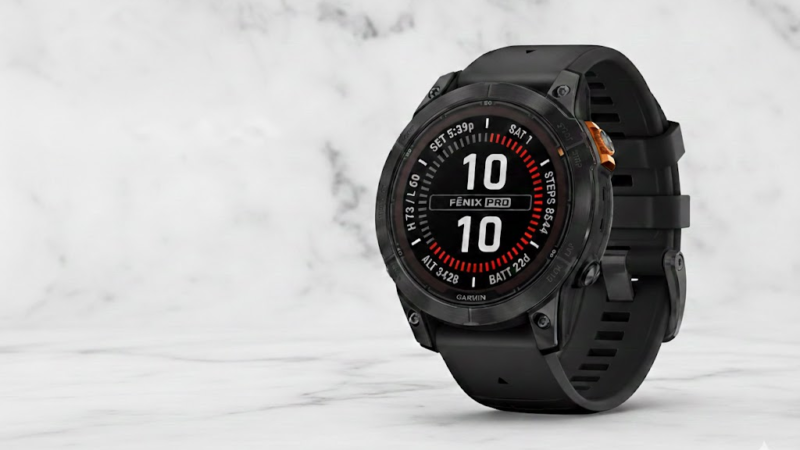
- Best for active seniors who forget to charge: Garmin Venu 4 — up to 12 days between charges
- Best for 24/7 professional monitoring: Medical Guardian MGMove — a live monitoring center, no smartphone required
Key Takeaways
- According to the CDC, more than one in four adults aged 65 and older falls each year, which is why fall detection has become a central buying factor for this age group.
- Consumer smartwatches (Apple, Samsung, Google, Garmin) typically call 911 or a personal emergency contact directly. Dedicated medical alert watches connect to a live, trained monitoring center that already has the wearer’s medical history and contacts on file.
- Fall detection works best for hard, sudden falls. Slow slides or falls onto soft surfaces may not always be detected, which is why every watch on this list still includes a manual SOS button as a backup.
- Garmin’s fall and incident detection generally only works during tracked GPS activities, not passively at home — an important distinction if a fall is more likely to happen in the kitchen or bathroom than on a walk.
- Battery life varies enormously: some mainstream smartwatches need daily charging, while the Garmin Venu 4 can run for over a week, and dedicated medical alert watches are often designed to be charged nightly like a phone.
- Most watches in this guide carry water resistance ratings (commonly IP67 or better), which matters because the bathroom is a high-risk area for falls.
Product Recommendations
| Rank | Watch | Best For |
|---|---|---|
| 1 | Apple Watch SE 3 | Most iPhone-owning seniors who want core safety features without paying for a flagship |
| 2 | Apple Watch Series 11 | Seniors who also want ECG and blood oxygen monitoring |
| 3 | Samsung Galaxy Watch 8 | Android users who want automatic SOS and a bright, easy-to-read screen |
| 4 | Google Pixel Watch 4 | Seniors who dislike charging daily and want a simple Android interface |
| 5 | Garmin Venu 4 | Active seniors (walking, hiking, swimming) who want a week or more of battery life |
| 6 | Medical Guardian MGMove | Seniors living alone who want a live monitoring center and don’t want to rely on a smartphone |
Detailed Reviews
1. Apple Watch SE 3 — Best Overall for iPhone Users
Overview: The Apple Watch SE 3 sits below the Series 11 in Apple’s lineup but shares much of its safety functionality. It’s the most sensible entry point for a senior who already owns an iPhone and mainly wants peace-of-mind features rather than a full suite of advanced health sensors.
Specifications
- Price: starts at $249 (40mm) / $279 (44mm), with cellular models priced higher
- Display: 1.8-inch OLED, Always-On Display
- Battery: up to 18 hours, with fast charging available
- Safety: Fall Detection, Crash Detection
- Health sensors: heart rate, but no ECG or blood oxygen sensor — Apple omitted these to keep the SE’s price down
- Water resistance: rated for shower and swimming use
Pros
- Simple, familiar interface if the wearer or family already uses an iPhone
- Large, always-visible display reduces the need to raise or tap the wrist
- Meaningfully cheaper than the Series 11 while keeping fall and crash detection
- Glass is rated as more crack-resistant than the previous SE generation
Cons
- No ECG or blood oxygen monitoring — a real limitation for seniors managing heart conditions
- Requires an iPhone to set up and get the most out of
- 18-hour battery means nightly charging is mandatory
Who should buy it: Seniors (or their families) who already use an iPhone, want reliable fall detection, and don’t need advanced cardiac monitoring.
Who should skip it: Anyone who wants ECG/AFib monitoring, or anyone without an iPhone — Android owners should look at the Galaxy Watch 8 or Pixel Watch 4 instead.
2. Apple Watch Series 11 — Best for Full Health Monitoring on iPhone
Overview: For seniors managing heart health specifically, the Series 11 is Apple’s most complete option, adding sensors the SE 3 leaves out.
Specifications
- Price: starts at $399
- Health sensors: ECG app, blood oxygen tracking, irregular heart rhythm notifications
- Safety: Fall Detection, Crash Detection, Emergency SOS with international coverage and automatic 911 calling — no subscription required for basic SOS
- Battery: roughly 24 hours per charge
Pros
- Adds ECG and irregular rhythm notifications the SE lacks
- Emergency SOS works internationally and doesn’t require a monthly plan
- Same intuitive interface as the SE, so there’s no learning curve for a family switching up
Cons
- Meaningfully more expensive than the SE 3
- Still needs nightly charging
- Requires an iPhone
Who should buy it: Seniors with, or at risk for, heart rhythm issues who want those readings alongside fall detection.
Who should skip it: Budget-conscious buyers who don’t need ECG — the SE 3 covers the core safety features for less.
3. Samsung Galaxy Watch 8 — Best for Android Users
Overview: Samsung’s current flagship is the natural pick for seniors on an Android phone. It launched in mid-2025 with a redesigned “squircle” case and automatic SOS.
Specifications
- Price: officially starts around $349, though 44mm LTE models have been seen discounted well below that
- Display: 1.34-inch (40mm) or 1.47-inch (44mm) Super AMOLED, up to 3,000 nits — very readable in bright light
- Processor: Exynos W1000
- Health sensors: ECG, heart rate monitoring, sleep tracking
- Safety: Hard Fall Detection with automatic SOS and location sharing; alerts include a roughly 60-second window to cancel a false alarm before it’s sent
- Battery: roughly one to two days depending on use
Pros
- One of the brightest, easiest-to-read displays in this guide
- Automatic SOS shares GPS location with emergency contacts, not just a phone call
- ECG and heart rate tracking included at a lower price than Apple’s equivalent
Cons
- Fall detection isn’t turned on by default — it must be manually enabled in the Galaxy Wearable app, an extra setup step a caregiver may need to help with
- Shorter battery life than the Pixel Watch 4 or Garmin Venu 4
- Requires an Android phone
Who should buy it: Android users who want a bright display and automatic emergency alerts without switching to Apple.
Who should skip it: Anyone who wants a longer stretch between charges — look at the Pixel Watch 4 or Venu 4 instead.
Note: Samsung’s next-generation Galaxy Watch 9 was expected around July 2026. If pricing on the Watch 8 hasn’t already dropped by the time you’re reading this, it may be worth checking whether a new model has shifted the market.
4. Google Pixel Watch 4 — Best Battery Life on a Mainstream Smartwatch
Overview: For seniors who forget to charge devices overnight, the Pixel Watch 4’s longer battery life is a genuine practical advantage, and Google has added some of the most advanced passive-safety features available.
Specifications
- Price: reported starting around $349–$399 depending on size and configuration; check current pricing at store.google.com
- Battery: up to 40 hours (45mm) with default settings; smaller 41mm models run somewhat shorter
- Safety: Fall Detection, Crash Detection, Loss of Pulse Detection (detects a lost pulse and can prompt a call for help), Safety Check (a timer that shares location if the wearer doesn’t check in), Satellite SOS in supported areas
- Compatibility: requires Android 11 or newer
Pros
- Longer battery life than most competing smartwatches, meaning fewer missed charges
- Loss of Pulse Detection is a safety feature not offered by most rivals
- Safety Check timer is useful for seniors who walk or run errands alone
Cons
- Fall Detection still requires a paired phone nearby for full emergency-calling functionality without an LTE model
- Google’s own documentation is clear that fall detection “may not detect all falls” and depends on network connectivity
- Wear OS’s touchscreen-first navigation can be harder for users with limited dexterity
Who should buy it: Android users who want the longest battery life among mainstream smartwatches and extra passive-safety features like Loss of Pulse Detection.
Who should skip it: Anyone who struggles with touchscreen navigation — a watch with larger physical buttons (like the Galaxy Watch’s rotating bezel on Classic models, or a dedicated medical alert watch) may be easier to operate.
5. Garmin Venu 4 — Best for Active Seniors Who Don’t Want Daily Charging
Overview: The Venu 4 is built for people who stay active — walking, hiking, swimming — and don’t want to think about charging every night. It trades some emergency-response sophistication for exceptional battery life and a broad health-tracking toolkit.
Specifications
- Price: $549.99 for both 41mm and 45mm sizes
- Battery: up to 10 days (41mm) or 12 days (45mm) in smartwatch mode; drops to around four days with the always-on display enabled
- Display: bright AMOLED, stainless steel case, built-in LED flashlight
- Health sensors: 24/7 heart rate, SpO2 (blood oxygen), ECG, sleep coaching, multi-band GPS
- Safety: Incident Detection, which shares GPS coordinates with designated contacts
Pros
- Dramatically longer battery life than any other watch in this guide — a real benefit for seniors who forget to charge devices
- Strong health and sleep tracking suite
- Built-in flashlight is a small but genuinely useful safety feature after dark
Cons
- Important limitation: Garmin’s Incident Detection generally works only during a tracked GPS activity (like a walk or run), not passively throughout the day at home — where many falls actually happen
- No professional monitoring center behind the SOS alert
- Highest upfront price of the mainstream smartwatches on this list
Who should buy it: Active seniors who regularly go for tracked walks, hikes, or swims and want a long-lasting battery plus deep fitness data.
Who should skip it: Seniors whose greatest fall risk is at home — for round-the-clock passive fall coverage, a phone-based smartwatch or a medical alert watch is a better fit.
6. Medical Guardian MGMove — Best for 24/7 Professional Monitoring
Overview: The MGMove isn’t a traditional smartwatch — it’s a medical alert device shaped like one. Instead of calling 911 directly, pressing its SOS button connects the wearer to a live, trained operator at a 24/7 monitoring center who already has their name, medical history, and emergency contacts on file.
Specifications
- Price: $199.95 one-time equipment cost, plus $39.95 per month for monitoring (some sources list the monthly fee closer to $42.95; fall detection add-on and messaging/caregiver-app access cost extra, roughly $5–$10 per month)
- Connectivity: built-in 4G LTE — works without a paired smartphone
- Display: 1.25-inch touchscreen
- Water resistance: rated IP67, suitable for showering
- Battery: roughly 24 hours per charge, with a battery-saving mode that activates after periods of no movement
Pros
- Connects to an actual trained operator, not just a 911 dispatcher or an emergency contact who may not answer
- Doesn’t require the wearer to own or carry a smartphone
- Simple, focused interface with fewer distracting features than a full smartwatch
Cons
- Ongoing monthly cost on top of the equipment fee, which adds up over time compared to a one-time smartwatch purchase
- Limited health tracking — no heart rate or blood pressure monitoring, features included on far cheaper consumer smartwatches
- Fall detection is sometimes an added-cost feature rather than included by default, so confirm what’s bundled in the plan you choose
Who should buy it: Seniors who live alone, don’t want to rely on a smartphone, and would benefit from a live person answering their emergency call.
Who should skip it: Anyone who wants fitness tracking, heart rate monitoring, or a one-time purchase with no subscription — a mainstream smartwatch will serve those needs better and cheaper.
Buying Guide
When choosing a smartwatch for an older adult, weigh these factors in order of importance:
1. Fall detection and emergency response. Decide whether direct 911/contact calling (Apple, Samsung, Google, Garmin) or a professional monitoring center (Medical Guardian and similar services) is the better fit. A monitoring center can dispatch the right kind of help because operators already know the wearer’s history — but it comes with a monthly fee.
2. Phone dependency. Apple, Samsung, and Google watches generally work best (and sometimes only) alongside a paired smartphone for full emergency functionality. Dedicated medical alert watches like the MGMove use their own cellular connection and don’t require a phone at all.
3. Ease of use. Look for large, high-contrast displays, an always-on screen option, voice assistant support, and minimal required taps to reach the SOS function. A rotating physical bezel (available on some Galaxy Watch Classic models) can be easier than pure touchscreen navigation for users with dexterity challenges.
4. Battery life and charging routine. A watch that needs charging every single night is only useful if that charging actually happens. If forgetting to charge is a realistic concern, prioritize longer battery life (Garmin Venu 4, Google Pixel Watch 4) over daily-charge devices.
5. Health monitoring needs. ECG and irregular heart rhythm notifications (Apple Series 11, Samsung Galaxy Watch 8, Garmin Venu 4) matter more for seniors managing cardiac conditions. Basic heart rate tracking is sufficient for most other users.
6. Water resistance. Because the bathroom is a common fall location, look for at least an IP67 rating so the watch can be worn safely in the shower.
7. Ongoing costs. Mainstream smartwatches are typically a one-time purchase (plus an optional cellular data plan). Medical alert watches like the MGMove carry a monthly monitoring fee indefinitely — factor that into a long-term budget comparison.
Comparison Table
| Watch | Price | Requires Phone? | Fall Detection | Heart Health Sensors | Battery Life | Monthly Fee |
|---|---|---|---|---|---|---|
| Apple Watch SE 3 | From $249 | Yes (iPhone) | Yes, automatic | Heart rate only | ~18 hours | None (cellular plan optional) |
| Apple Watch Series 11 | From $399 | Yes (iPhone) | Yes, automatic | ECG, blood oxygen, irregular rhythm alerts | ~24 hours | None (cellular plan optional) |
| Samsung Galaxy Watch 8 | From ~$349 | Yes (Android) | Yes, must be enabled manually | ECG, heart rate | ~1–2 days | None (cellular plan optional) |
| Google Pixel Watch 4 | ~$349–$399 | Yes (Android) | Yes, plus Loss of Pulse Detection | Heart rate | Up to 40 hours | None (cellular plan optional) |
| Garmin Venu 4 | $549.99 | No | During tracked activities only | ECG, SpO2, heart rate | Up to 12 days | None |
| Medical Guardian MGMove | $199.95 + monitoring | No | Yes (may cost extra) | None | ~24 hours | ~$39.95+ |
Advantages of Smartwatches for Seniors
- Faster access to help after a fall, especially when combined with automatic detection
- Ongoing visibility for family members through companion apps and location sharing
- Health trend tracking (heart rate, sleep, activity) that can be shared with a doctor
- Encourages activity and independence without requiring a phone in hand at all times
- Many models double as everyday watches, avoiding the stigma some seniors associate with traditional medical alert pendants
Limitations to Understand
- No fall detection system is perfect — slow falls, falls onto soft surfaces, or gradual collapses may go undetected
- False alarms can occur during vigorous activity, which is why every device pairs automatic detection with a manual SOS button
- Devices tied to a smartphone may lose some emergency functionality if that phone isn’t nearby or charged
- Garmin’s incident detection is activity-based, not a full-time passive safety net
- Subscription-based medical alert watches add a recurring cost that mainstream smartwatches don’t have
Alternatives Worth Considering
- Bay Alarm Medical SOS Smartwatch: A budget-friendly medical alert watch, around $199 (often discounted), with $39.95/month monitoring and optional fall detection or a bundled in-home system.
- Samsung Galaxy Watch 8 Classic (if available in your region): Adds a rotating physical bezel, which some seniors find easier to navigate than a flat touchscreen.
- Traditional pendant-style medical alert systems: For seniors who don’t want to wear anything watch-like at all, a simple wearable help button connected to a monitoring center remains a reliable, low-complexity option.
Frequently Asked Questions
Does a regular smartwatch call 911 the same way a medical alert watch does?
Not quite. Consumer smartwatches like the Apple Watch, Galaxy Watch, and Pixel Watch generally call 911 directly (or a designated emergency contact), and the dispatcher has no prior information about the caller. Dedicated medical alert watches like the MGMove connect to a monitoring center where a trained operator already has the wearer’s medical history and emergency contacts on file.
Is fall detection accurate?
It’s reasonably reliable for sudden, hard falls but not foolproof. Slow slides to the floor, or falls onto carpet or soft surfaces, may not always trigger an alert. That’s why every watch in this guide also includes a manual SOS button as a backup.
Do these watches work in the shower?
Most of the watches in this guide, including the MGMove and the mainstream smartwatches listed here, carry water resistance ratings suitable for showering (commonly IP67 or better). Always check the specific model and generation, since ratings can vary between versions.
Does a senior need a smartphone to use these watches?
It depends on the device. Apple, Samsung, and Google watches are designed to pair with a smartphone (iPhone for Apple, Android for Samsung/Google) for full functionality, though cellular models can make calls independently. The Garmin Venu 4 and the Medical Guardian MGMove can operate without a paired phone.
What’s the difference between the Apple Watch SE 3 and Series 11 for a senior?
The SE 3 includes fall and crash detection but skips ECG and blood oxygen sensors to keep the price lower. The Series 11 adds those cardiac-monitoring features. If heart health isn’t a specific concern, the SE 3 covers the core safety needs for less money.
Is a subscription required for emergency SOS on these smartwatches?
Basic Emergency SOS on Apple, Samsung, and Google watches typically doesn’t require a monthly subscription, though optional cellular data plans do carry their own fee. Dedicated medical alert watches like the MGMove require an ongoing monitoring subscription as their core service.
Final Recommendation
There’s no single “best” smartwatch for seniors — the right choice depends on which phone ecosystem the household already uses and how much the wearer values a live monitoring center versus a familiar, everyday smartwatch experience. For most iPhone-owning seniors, the Apple Watch SE 3 offers the best balance of safety features and price. Android users are well served by the Samsung Galaxy Watch 8 or Google Pixel Watch 4, depending on whether display brightness or battery life matters more. Active seniors who dislike daily charging should look at the Garmin Venu 4, keeping its activity-based fall detection limitation in mind. And for seniors living alone who want a live person on the other end of every alert, the Medical Guardian MGMove remains the strongest dedicated option, despite its ongoing monthly cost.
Whichever device you choose, take the time to enable fall detection manually if required, register emergency contacts, and test the SOS function together before relying on it in a real emergency.
Sources
- Apple — Apple Watch SE 3 and Apple Watch Series 11 product pages and specifications (apple.com)
- Samsung — Galaxy Watch 8 specifications and support documentation (samsung.com)
- Google — Pixel Watch 4 safety features and specifications, Google Store and Pixel Watch Help (store.google.com, support.google.com)
- Garmin — Venu 4 product pages and battery life documentation (garmin.com)
- Medical Guardian — MGMove pricing and plan details (medicalguardian.com)
- CDC Injury Center — older adult fall statistics (cdc.gov)
This article reflects publicly available manufacturer specifications and pricing as of publication. Prices, especially for recently released models, change frequently — always confirm current pricing directly with the retailer before purchasing. TekX did not independently test the devices reviewed in this article; all performance claims are attributed to manufacturers or cited independent sources.